
1
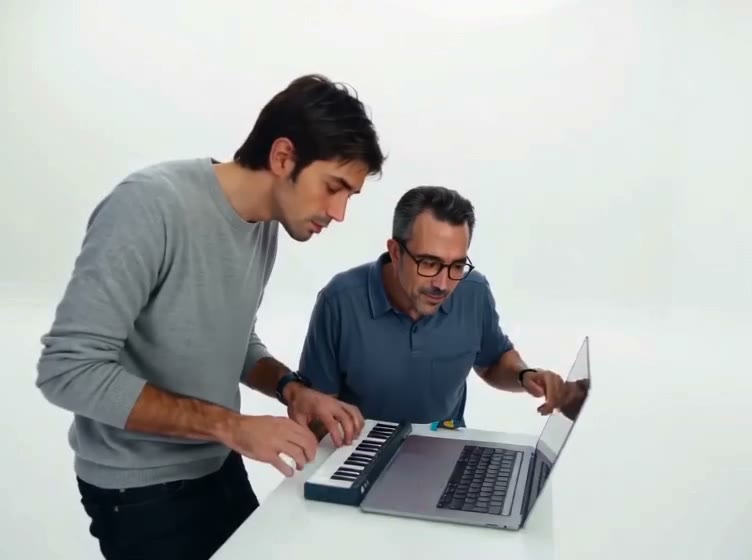
Character 1: Keyboard Player
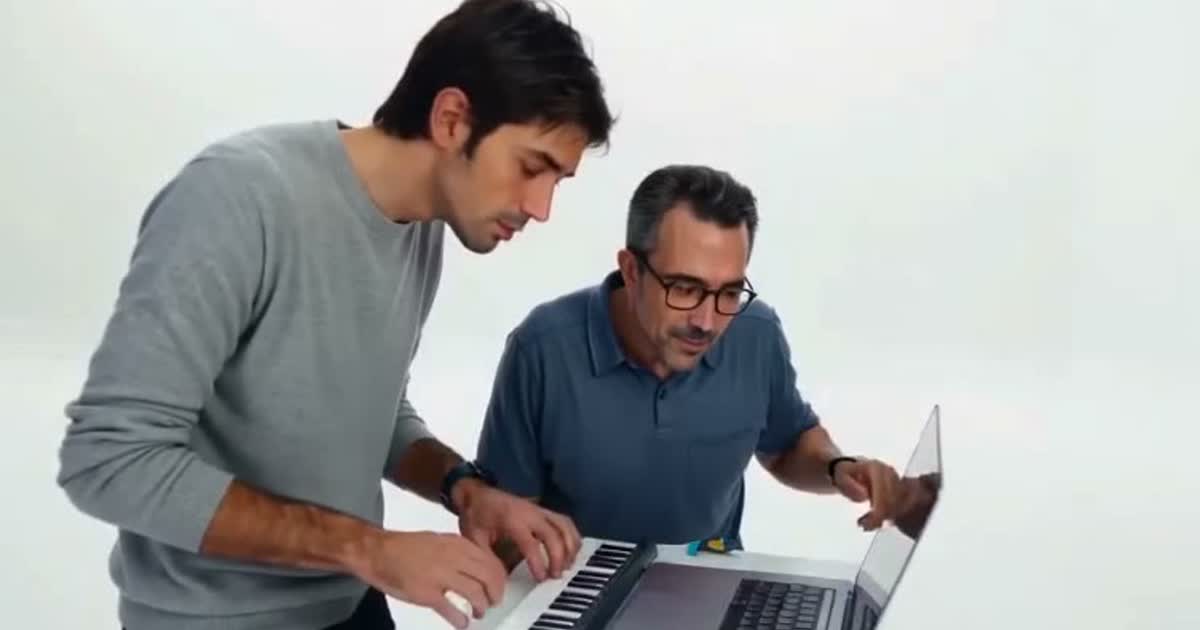
Stands at the little white table, leaning over it, and plays the mini keyboard with both hands, eyes on the keys. Bends in close over the keys, then laughs and wiggles on the spot when the dancing starts.
Two photos, one viral performance. Turn yourself and a friend into the Alors On Danse AI dance duo in just a few clicks.
An Alors On Danse AI video turns two photos into a 15-second comedy duo. One person stands over a mini keyboard and plays, the other sits at the laptop pointing and talking them through it, then both crack up and dance on the spot. Upload both photos, swap the roles if you like, and download the video.
Keyboard player
Front-facing photo, face well lit, one person
Instructor
Front-facing photo of your friend or partner
15-second silent video: add your own sound when you post. Failed videos are refunded automatically.
Every Alors On Danse AI video has exactly two roles. Your first photo plays the standing keyboard player and your second photo plays the instructor at the laptop, so it is worth knowing what each one does.
Stands at the little white table, leaning over it, and plays the mini keyboard with both hands, eyes on the keys. Bends in close over the keys, then laughs and wiggles on the spot when the dancing starts.
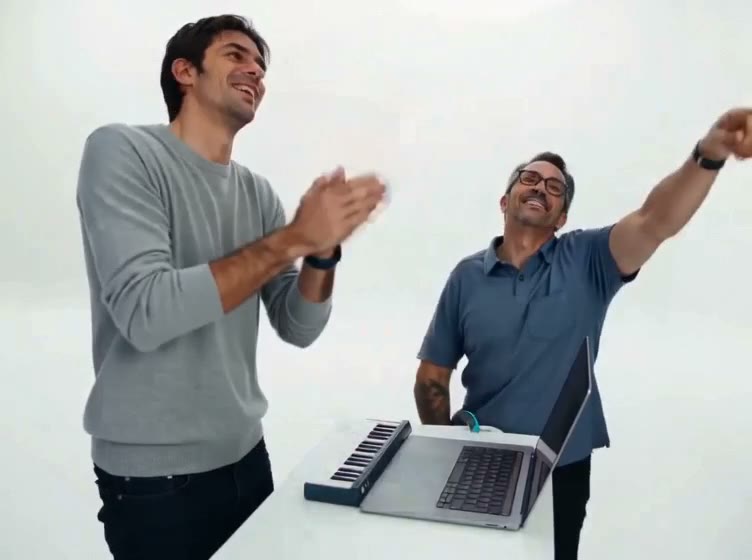
Sits behind the laptop on the right. Points at the screen and the keys and talks the player through it, then throws an arm up and dances in the seat.
Press Swap in the generator and the two photos change places. The person who was instructing now plays the keys, and the other way round. Try both before you spend credits: the role changes the whole joke.
| Seconds | Keyboard Player | Instructor |
|---|---|---|
| 0 to 4 | Leans over the table and starts playing the mini keyboard | Sits at the laptop, points at the keys and talks |
| 4 to 8 | Bends in close over the keys and keeps playing | Leans in over the laptop and gestures |
| 8 to 12 | Laughs and wiggles on the spot | Throws an arm up and dances in the seat |
| 12 to 15 | Back at the keys, playing again | Settles back, gestures and points at the player |
Clips made with this generator. Every character is an AI character or a person who agreed to appear.
Three steps, no prompt to write and nothing to edit. The scene and the camera are already set.
Add one clear photo per person. The first slot is the keyboard player and the second is the instructor. Use a front-facing photo with the whole head in frame.
Check which photo sits in which role. If the roles feel wrong, press Swap and the photos change places. Pick Human & pet if one of the two is your dog or cat.
Choose 480p or 720p, then generate. The video renders in a few minutes and is saved in My videos, ready to download. It comes without sound, so you add your own when you post.
Any two people, or a person and a pet. These are the pairings that work best, and what each one is good for.
The classic. Put the friend who never stops joking at the keys and the one who cannot resist giving orders in the instructor's seat, then send it to the group chat.
A funny anniversary or birthday clip. Let your partner play the nervous musician while you coach them, or the other way round.
A parent and a grown-up child, or two siblings. Adults only, and only with their permission.
Your dog or cat becomes the instructor, or the keyboard player if you press Swap. Use a clear, front-facing photo of the whole face.
A tool built for one trend, so everything on the page is about getting the two characters right.
Nothing to cut, trim or animate. The scene and the camera moves are set for you, and you add your own sound when you post.
Each photo has its own labelled slot, so you can see who plays what before you pay.
Change who plays the keys and who gives the orders without uploading anything again.
Two photos in, a 15-second video out in a few minutes. No prompt and no settings beyond the quality.
A 4:3 clip with a clean download, ready for TikTok, Reels and Shorts.
Buy a credit pack once and use it within a year. A 480p video costs 100 credits and a 720p video costs 200.
Single
One standard video, to see how it looks.
Starter
Try it with a few clips.
Creator
For friends, a couple, the pets and a few retakes.
Tips for the Alors On Danse AI trend and for getting a steadier clip.
A copyable Alors On Danse AI prompt for two-photo videos, what each line does, and the three mistakes from our own test renders.
What is the Alors On Danse AI trend? A viral AI remake of a 2010 Stromae and Jamel Debbouze sketch. See its origin, what changed and how to make your own.
Alors On Danse AI copyright explained: who owns the sketch and the song, why you should not reuse the original clip or audio, and how to label it safely.
Two photos and a few minutes. The studio, the keyboard and the moves are already set.
Alors On Danse AI is an independent fan tool. Read about who makes it.